Solving the housing problem for screens (if the option “I am traveling” does not appear)

First of all, thank you for choosing Twenty Store.
After subscribing to Netflix, you will face a housing problem in the future or update your housing address. Don’t worry, the solution is there. You don’t need to intervene from us or wait for a response from us. All you have to do is see the solution here and do exactly the same so that it works for you:
First: We will choose (update the housing that uses Netilx) the same image

Second: We choose ( update the residence that uses Netilx ) the same image

Third: Now all you have to do, if you get the same result as in the picture, is follow the second steps without doing anything to the screen.
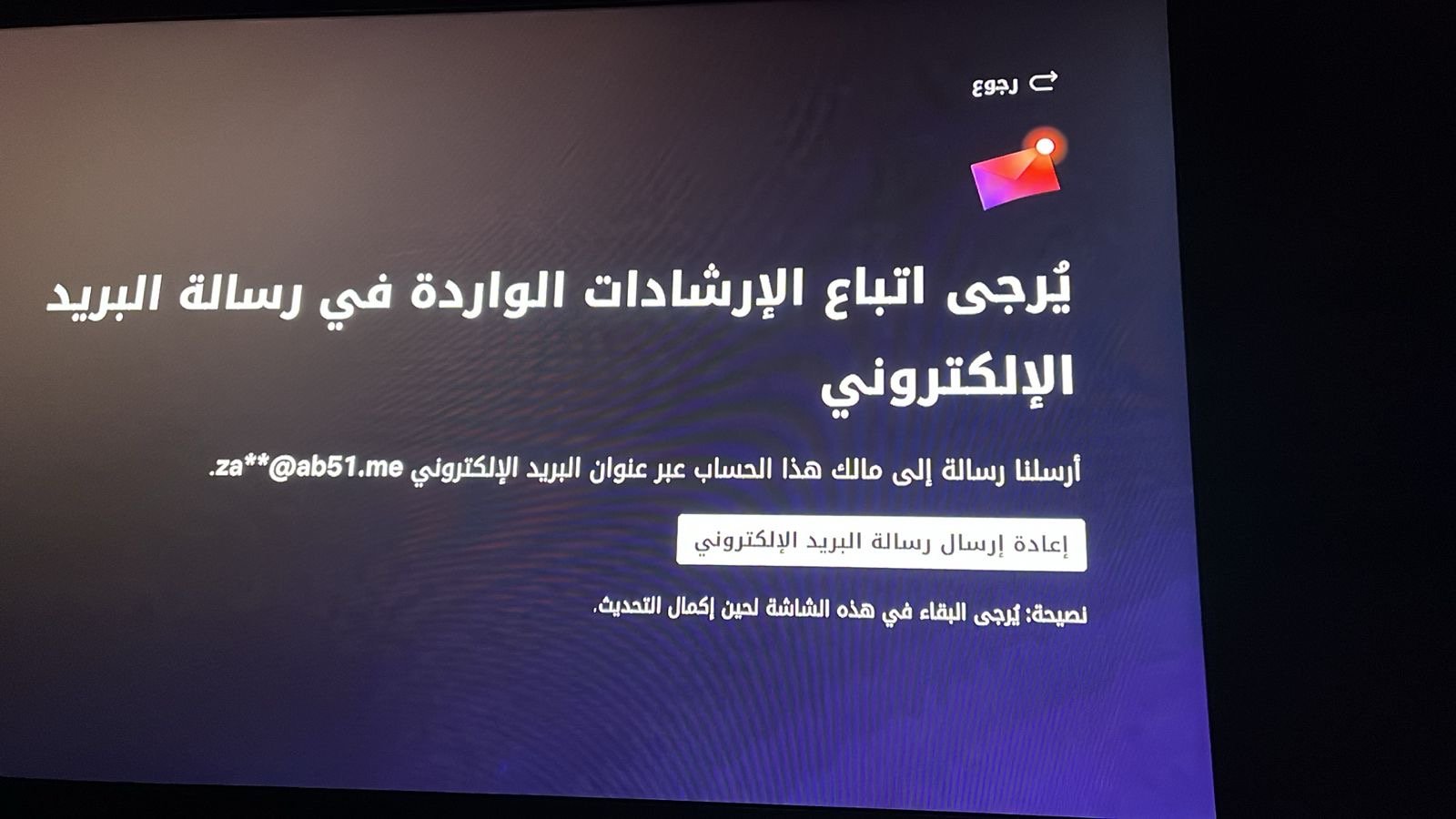
We must do these steps first in order to move to the second step.
Step two:
1- We go to the private bot ( we must have the Telegram application)
Bot link: https://t.me/netflix_otp_bot
2- After we enter it, we do start or send
3- We send him the subscription email, then we will receive a message ( Click Here ). We click on the option and update the residence.
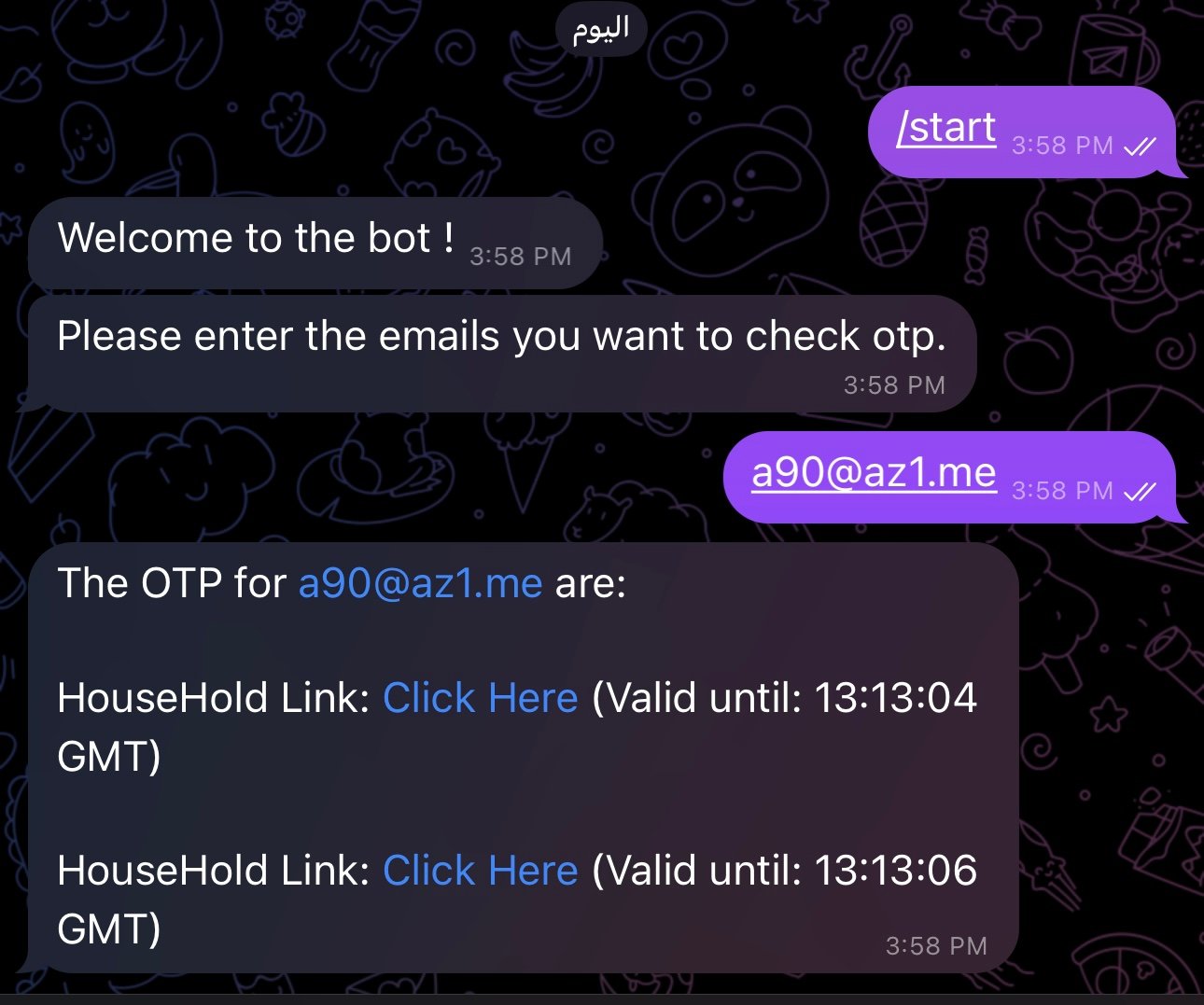
If this happens to you ⬇️ Wait a few minutes and try again and you will get the code
(No OTP found for z**42@**.me
If you asked for OTP please try the command in 1 minute.)